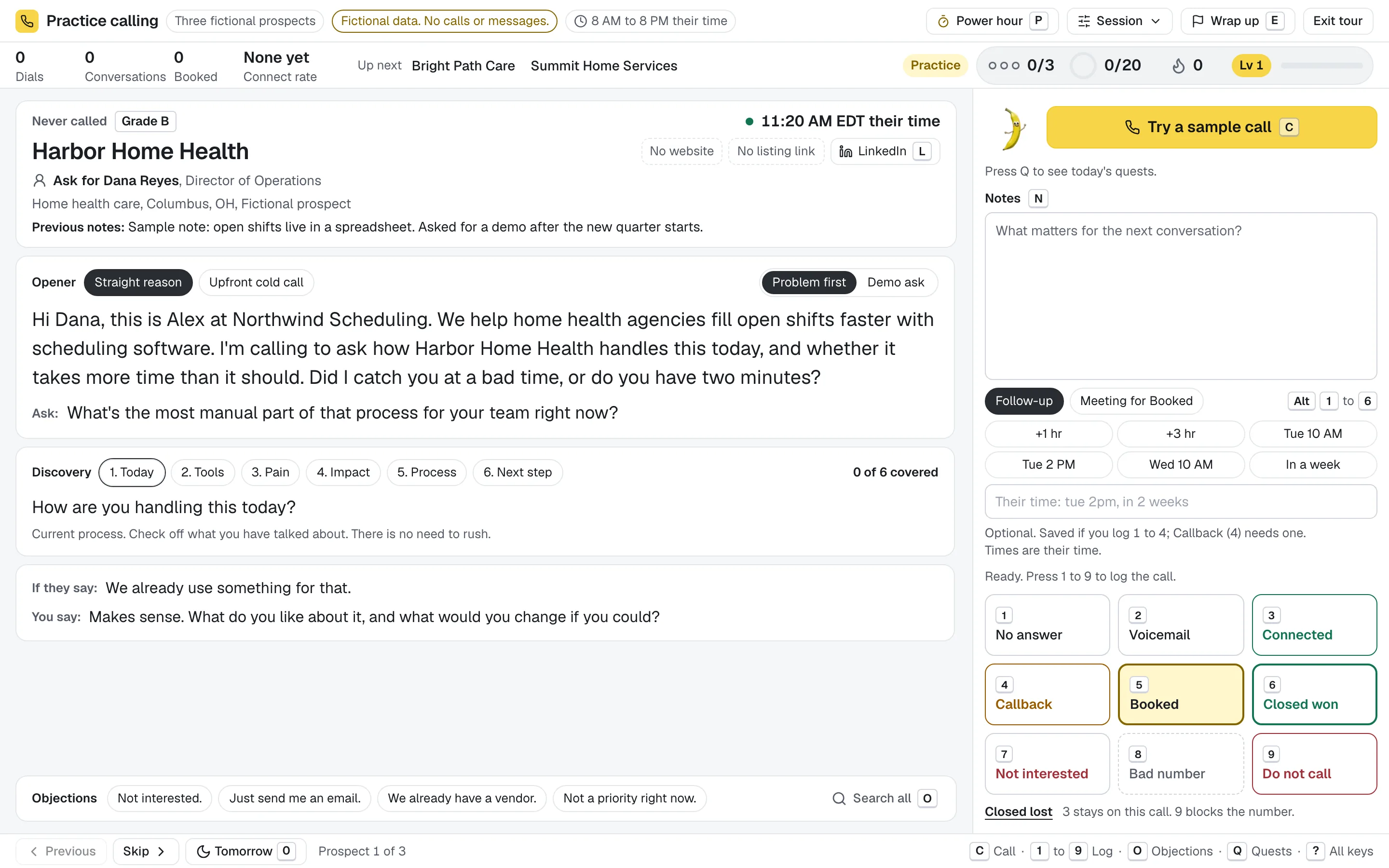
Open a focused list and work it from the console. Prospect context, talking points, notes and outcomes stay within reach, with keyboard controls for the actions you repeat.
C opens the call control, N moves to notes, F opens the follow-up field and O opens objection search. Use W or G for the prospect's website or Google listing, and ? to see the shortcut reference.
Keys 1 to 9 record call outcomes
Left and right arrows move through the loaded list
Shortcuts pause in text fields; Esc leaves the field
Lines written from what you sell.
Tell Banana what you sell and to whom in Settings, Selling profile. Openers, discovery questions and objection replies follow, filled with each prospect's name, company and title. With a contact on file you greet them by name; without one you ask for the right person.
Nine starting points, from SaaS to commercial services
Two opener angles for each, plus an upfront cold call version
Objection search finds a reply in a few keystrokes
Record the pickup. Stay for the conversation.
Connected saves the pickup and keeps the prospect open. When you know what comes next, choose the final outcome. Callback asks for a follow-up time; Booked asks for the meeting time.
Keep the notes beside the outcome controls
Use presets or enter a specific follow-up time
Keep notes available when a save needs another try
The next prospect is already there.
The console keeps your list loaded between calls. Each outcome saves in the background while the next prospect appears, so a key press never sends you back to a prospect page. If a save fails, the console says so and keeps your notes for a retry.
A quiet signal shows each save
A failed save keeps its notes
The prospect's earlier notes stay close by
You stay in control of the actual call.
C starts the call through your own phone: Google Voice through the Companion, or any phone. Banana Dialer never dials on its own, and does not include a phone number or calling minutes.
Calling hours and do not contact checks still apply
Phone provider accounts and charges are separate
Try the console with fictional prospects; it never places calls
One connected workday.
Each conversation belongs to a prospect. Every useful outcome points to what happens next.
Plan a list before the call.
Import or narrow your prospects, choose who to work and open that focused list in the console.