Plan a list before the call.
Import or narrow your prospects, choose who to work and open that focused list in the console.
Prospect queueKeep planning out of the middle of every call. Choose who to reach, then work through their context, your opener and the next step from one screen. Log the outcome with one key and the next prospect is already there.
Import or narrow your prospects, choose who to work and open that focused list in the console.
Prospect queueThe person to ask for, your opener, notes and outcome keys, all in one keyboard-first console.
Call workspaceSet a callback or meeting time while the conversation is fresh. Return with the notes still attached.
Follow-upsNotes, talking points and the outcome keys stay together. Press 1 to 9 to record a result, set a time for a callback or meeting, and keep working the list while the save runs in the background.
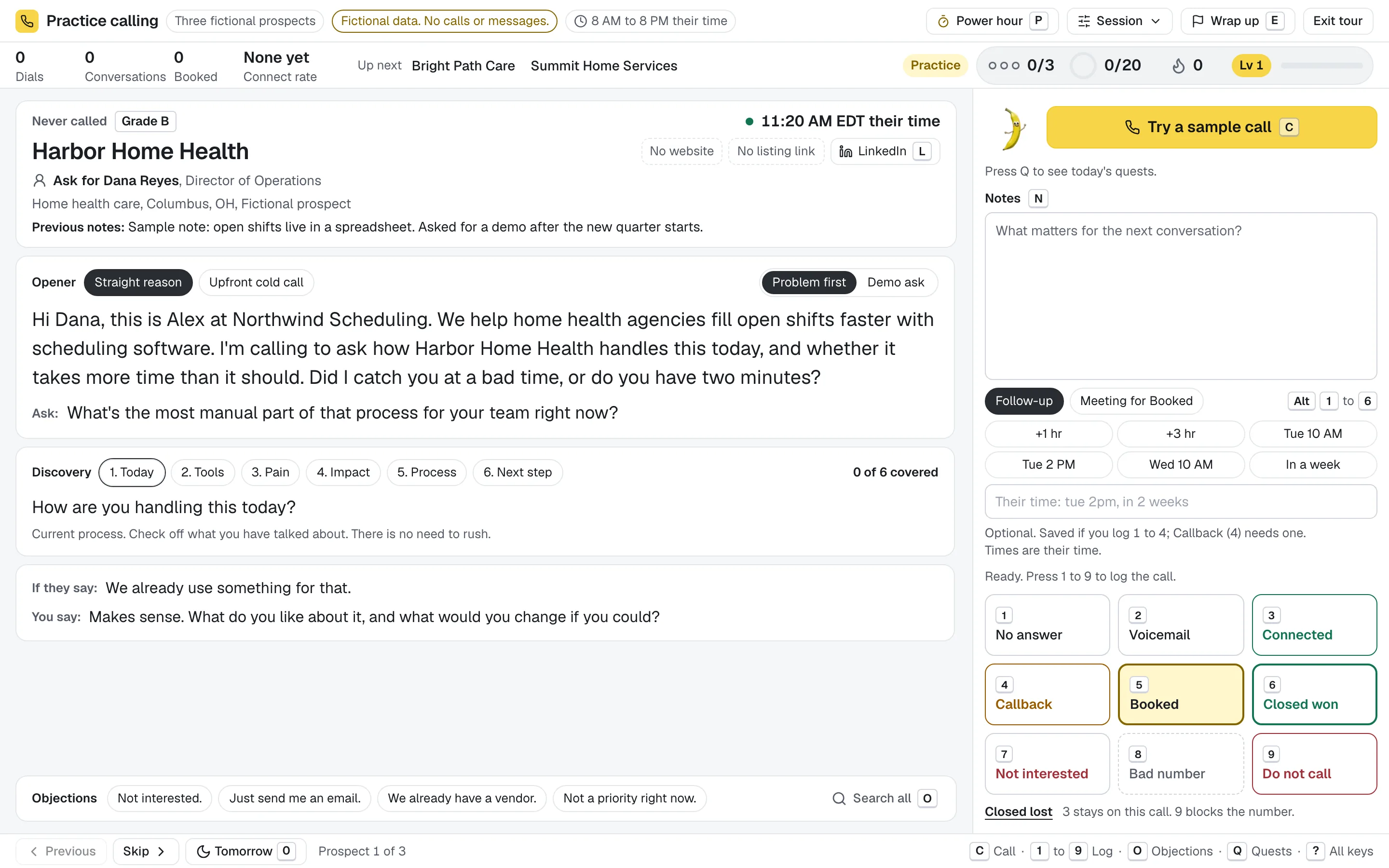
The real console, with fictional prospects.Try the console
Today puts follow-ups that are due ahead of the prospects you saved, each with a Call button, and shows when calling opens in each time zone, the callbacks and meetings later today and your goal for the day.

A fictional rep's day.
Pull local businesses from the built-in business directory, add prospects by hand or import a CSV exported from Apollo, HubSpot, ZoomInfo or Sales Navigator list tools. Calls go through your own phone: Google Voice through the Banana Dialer Companion for Chrome, or any phone.
No card to start. Bring a list, or pull one from the business directory, and make your first call today.
Not ready? Try the console with fictional prospects, no signup.